SAB Workspace

A Mac-native workbench for Microsoft Intune and Entra administration.

SAB Workspace helps administrators export tenant configuration into reusable packages, compare packages or live tenants, dry-run imports before making changes, copy supported workloads between tenants, transform packages before reuse, and generate reports, architecture summaries, and diagnostics from one focused desktop workflow.

Screenshots

See the main admin workflows before you install it.

SAB Workspace is built for tenant export, comparison, reuse, and reporting work that is usually awkward to do in scattered browser tabs. These screenshots show the current desktop workflow across the most important admin tasks.

  • Start from a focused home workspace instead of portal sprawl
  • Move through export, import, compare, and reporting in one native tool
  • Generate documentation and executive summaries that are easier to keep and share
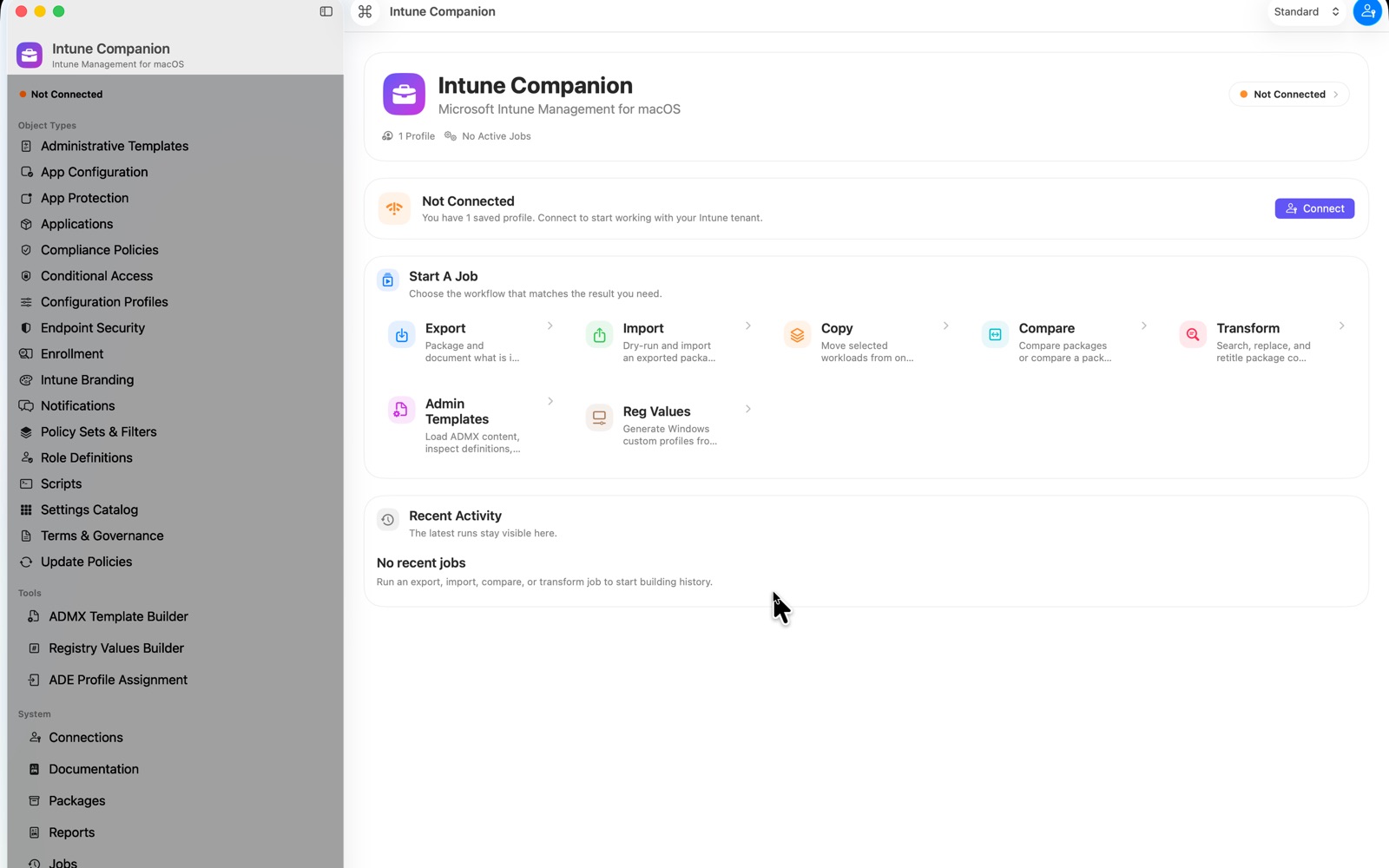
SAB Workspace home workspace showing the main administration dashboard and workflow entry points.
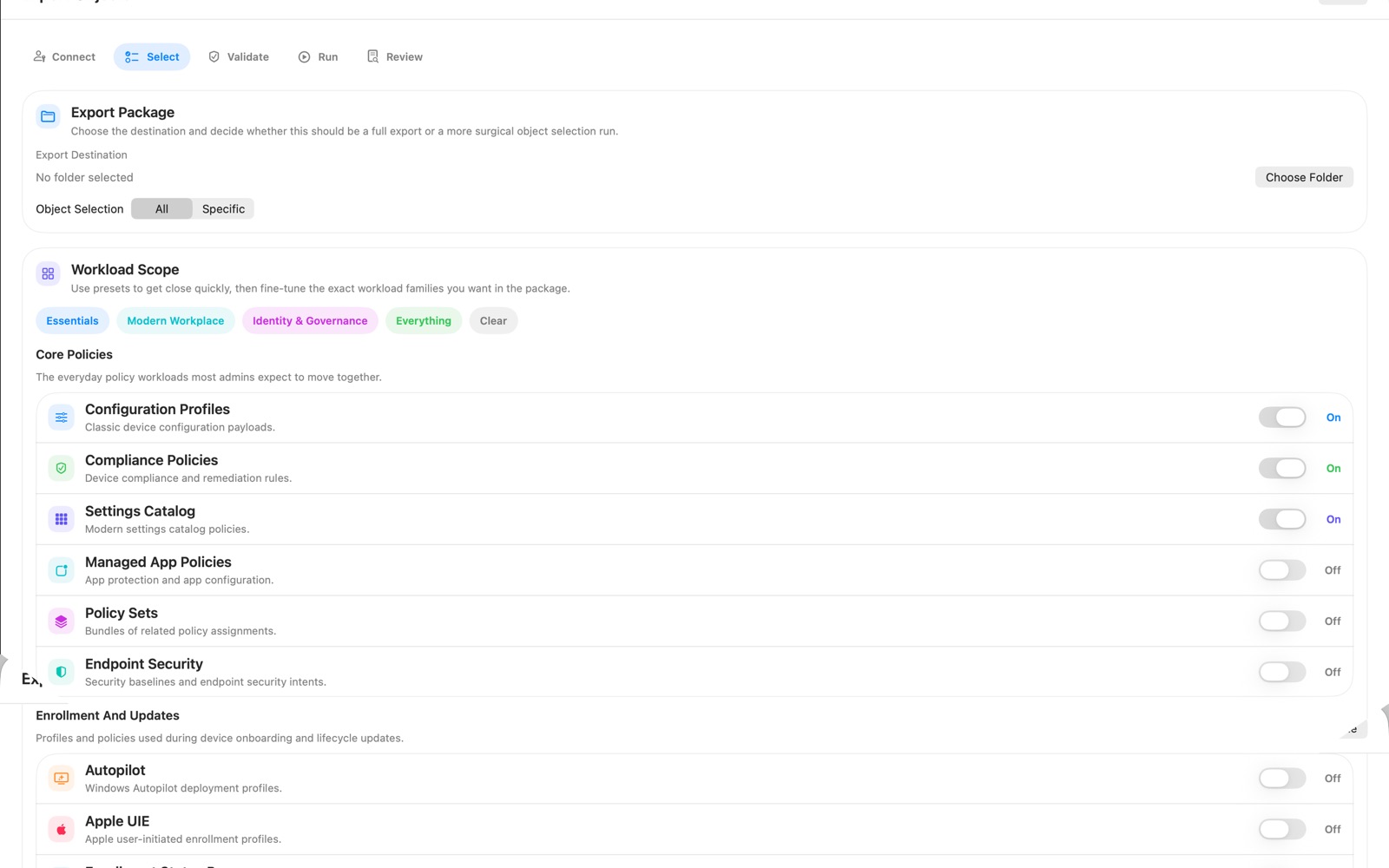
SAB Workspace export workflow for packaging supported Intune and Entra configuration.
Export

Capture supported Intune and Entra configuration into structured packages that can be reviewed, reused, and compared later.

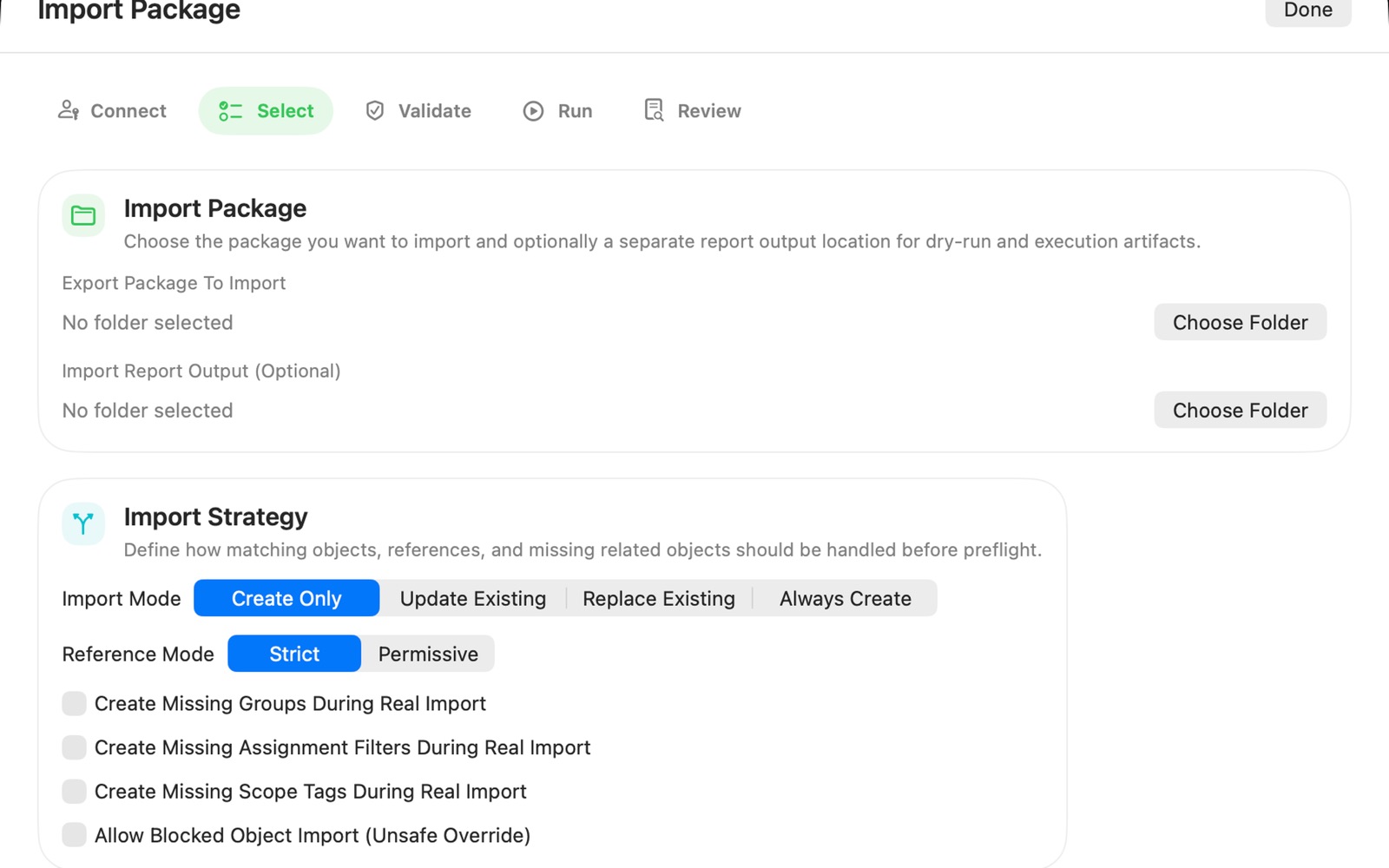
SAB Workspace import workflow showing validation and package import preparation.
Import

Validate imports before you change a tenant so the workflow stays safer than trial-and-error changes in the portal.

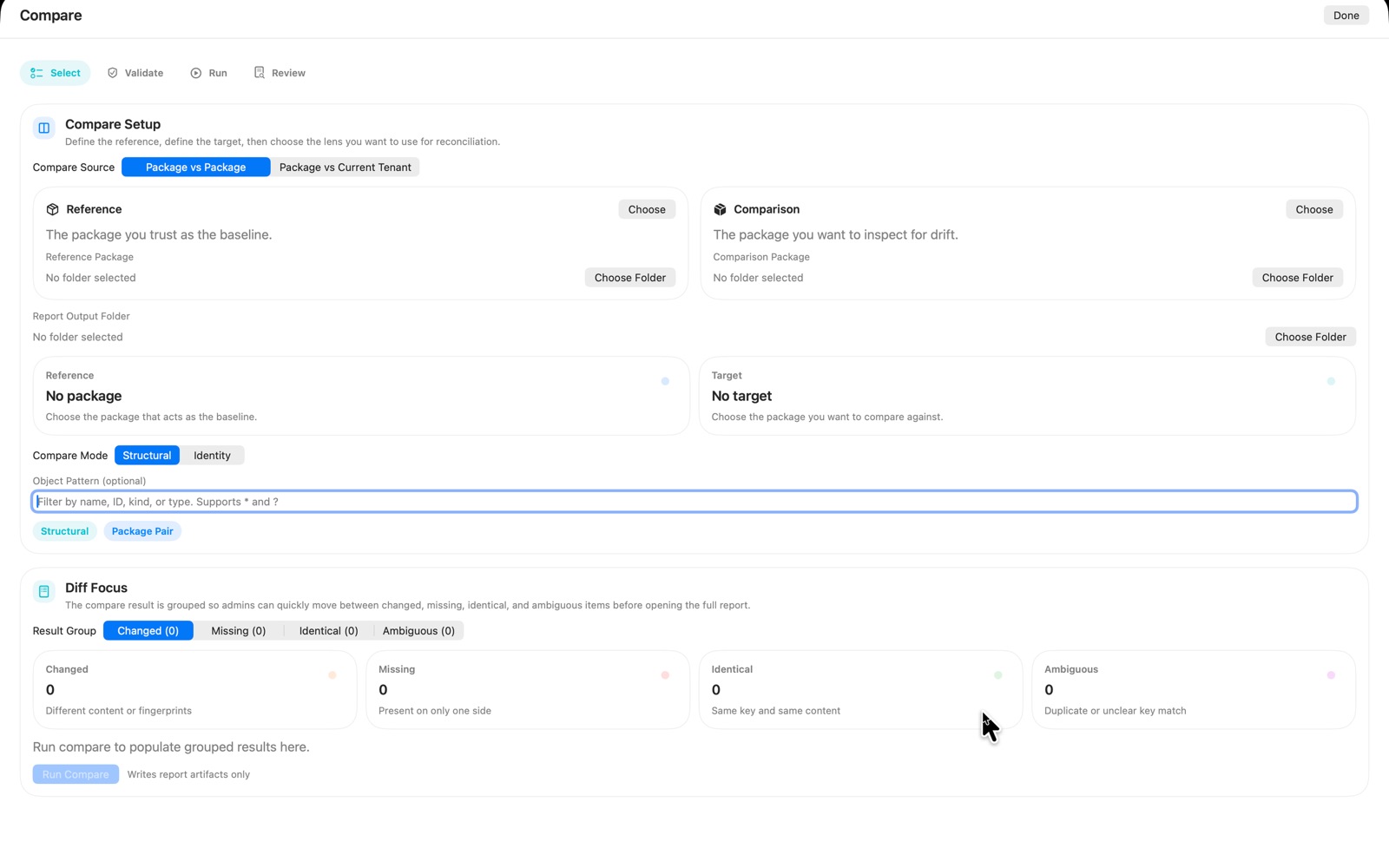
SAB Workspace compare workflow showing configuration comparison between packages or tenants.
Compare

Review drift, missing objects, and overlap across packages or live tenants before making migration or reuse decisions.

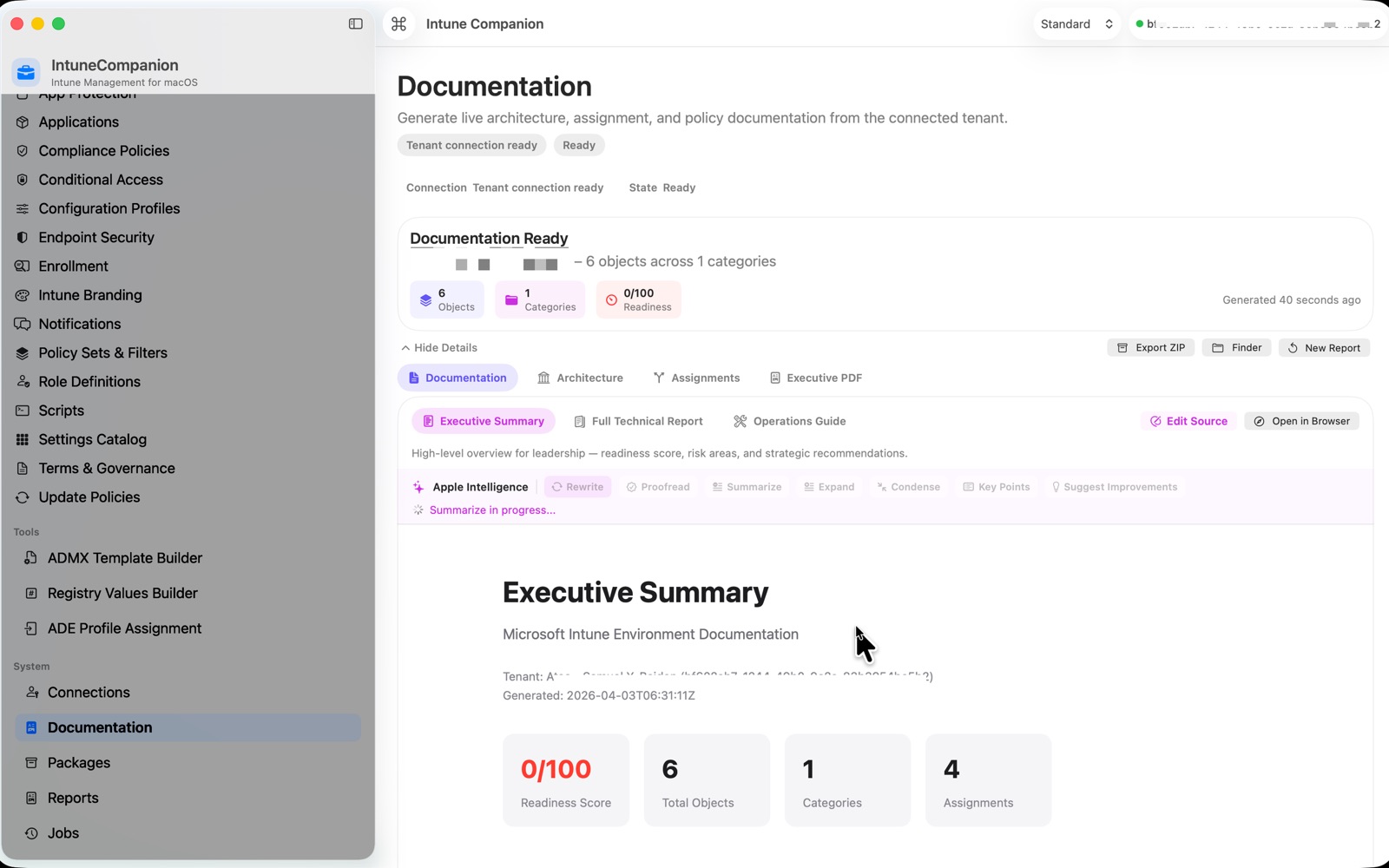
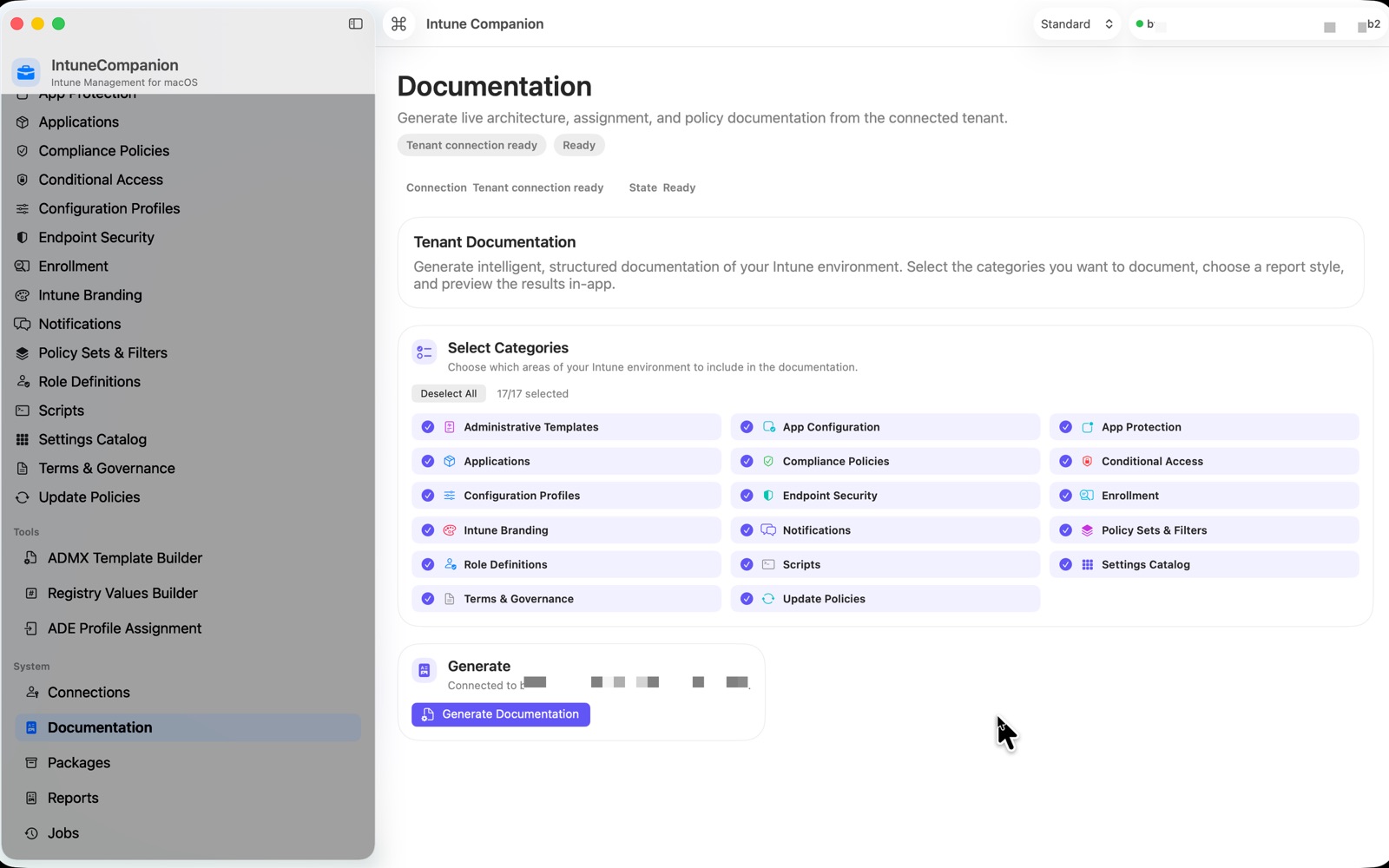
SAB Workspace documentation setup workflow for generating product documentation and reporting.
Documentation

Generate tenant documentation from the same workspace so handover and review are part of the normal admin flow.

SAB Workspace executive summary output showing report-style documentation generated from tenant data.
Executive Summary

Produce cleaner high-level summaries for stakeholders who need insight without digging through raw tenant objects.

Highlights

Built for serious admin work without forcing everything through the browser.

Export and document

Export supported Intune and Entra configuration into structured packages and generate reports, executive summaries, and diagnostics that are easy to keep or hand over.

Compare and review

Compare one package with another or compare a package against a live tenant to review drift, missing objects, matching objects, and unsupported areas before you change anything.

Import with validation

Dry-run import plans before making real changes, map dependencies, and keep the workflow focused on safe review instead of trial-and-error in the portal.

Specialist tools included

SAB Workspace also includes targeted admin workflows for Administrative Templates, Registry Values, package transformation, tenant copy, and diagnostics collection.

Workflow

One desktop tool for the main lifecycle of tenant configuration work.

SAB Workspace is designed around the real sequence of work administrators follow when they need to understand, migrate, or reuse configuration:

  • Connect to a tenant
  • Export supported objects into a reusable package
  • Compare packages or compare a package against a live tenant
  • Transform names or values before reuse when needed
  • Dry-run imports and validate mappings
  • Run real import or tenant copy workflows when the plan is safe

Community

Feedback and support are public and structured.

SAB Workspace uses the same public support model as the rest of the site:

  • Discussions for feedback, setup questions, help, and general conversation
  • Issues for bugs and feature requests
  • Releases for the public download and release-note hub
  • Support page for direct contact and product-specific help guidance

Availability

Public support is live before the App Store release is finalized.

SAB Workspace is being prepared for public distribution. The support page, privacy policy, and GitHub community hub are in place now so App Store review and early users have a stable support destination from day one.

When the public release is live, the GitHub Releases page becomes the website-backed release hub alongside the app page and support pages.