SAB VM Lab

Virtual Macs, handled like a polished native Mac app should.

SAB VM Lab is a native macOS app for creating and managing virtual macOS machines on Apple silicon. It is built to make setup, storage, hardware tuning, and ongoing VM management feel clear instead of fragile, including disk growth that can start small and expand later when needed.

Screenshots

See how the app looks before you install it.

SAB VM Lab is designed to feel like a serious native Mac app, not a thin shell around a VM engine. The screenshots below show the current product direction across VM management, guided setup, Linux guest support, and flexible storage growth.

  • Guided create flows for both macOS and Linux guests
  • Normal Mac-style management views for hardware, disks, networking, clipboard, and tools
  • Expandable virtual storage so you can start smaller and grow later
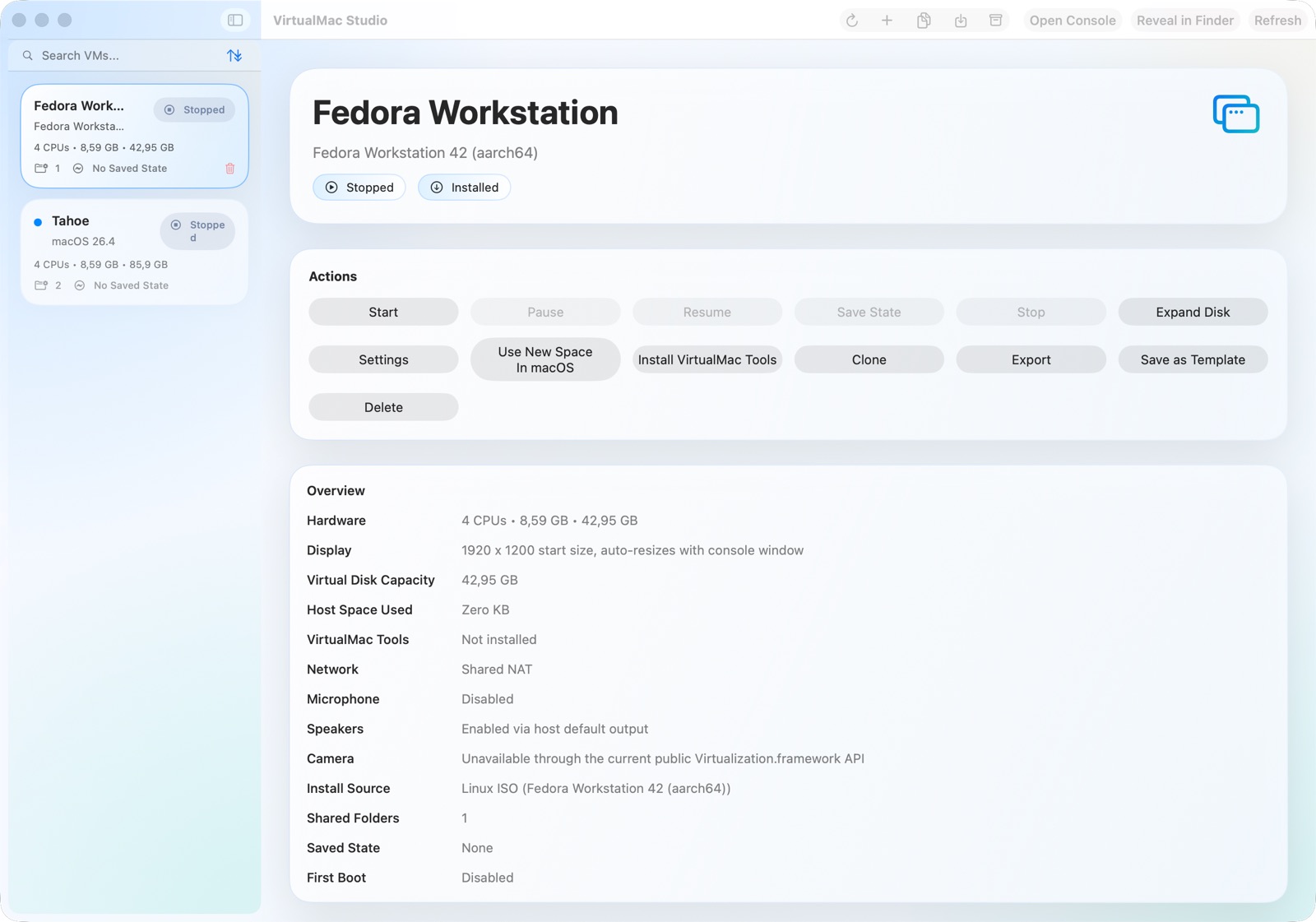
SAB VM Lab showing a Fedora Linux VM details page with hardware, display, network, shared folders, guest tools, and disk information.
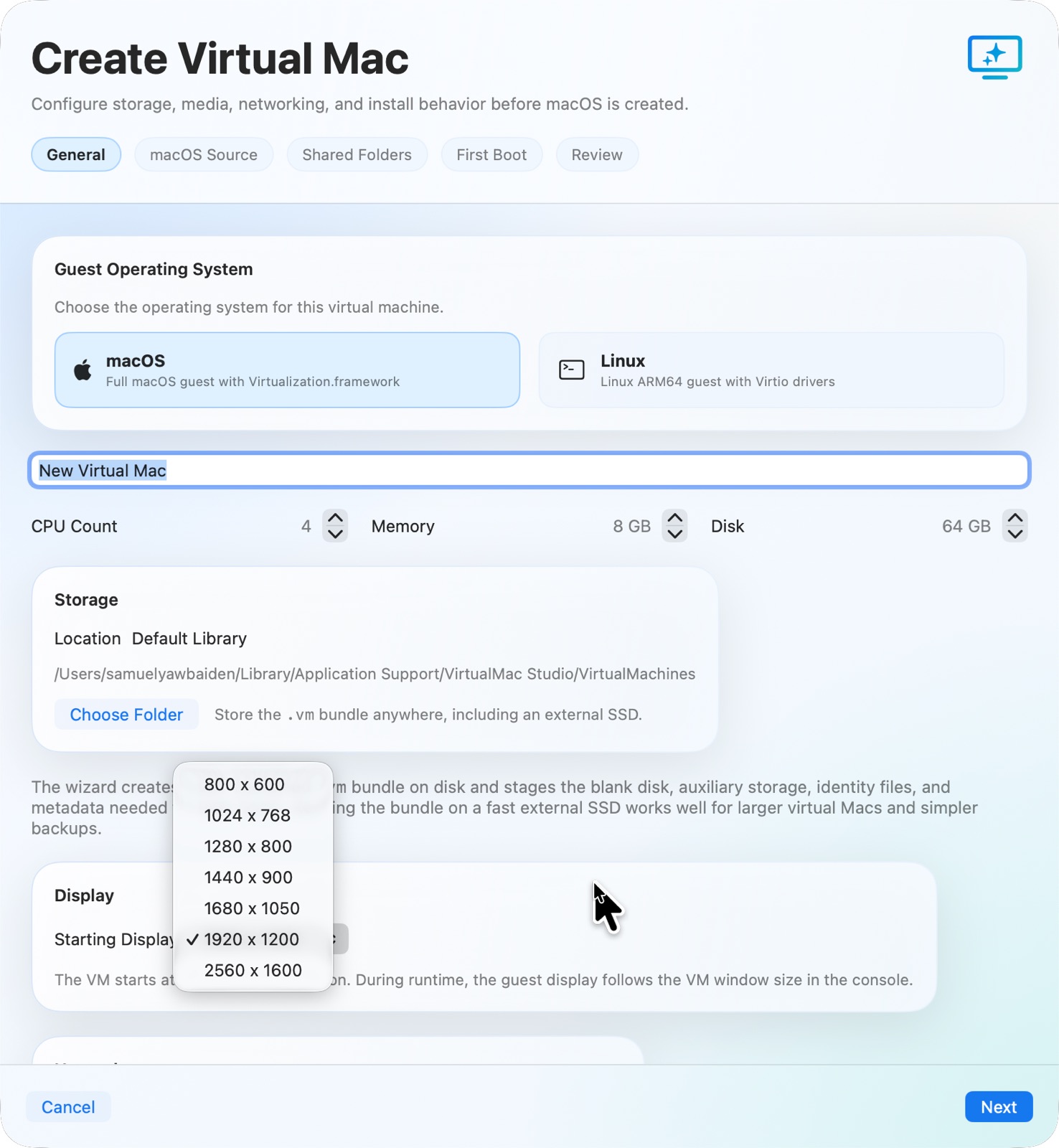
SAB VM Lab create wizard showing the general setup step for a new virtual machine.
Setup

Start with the essentials: name, storage location, CPU, RAM, disk size, and the foundation for a new VM.

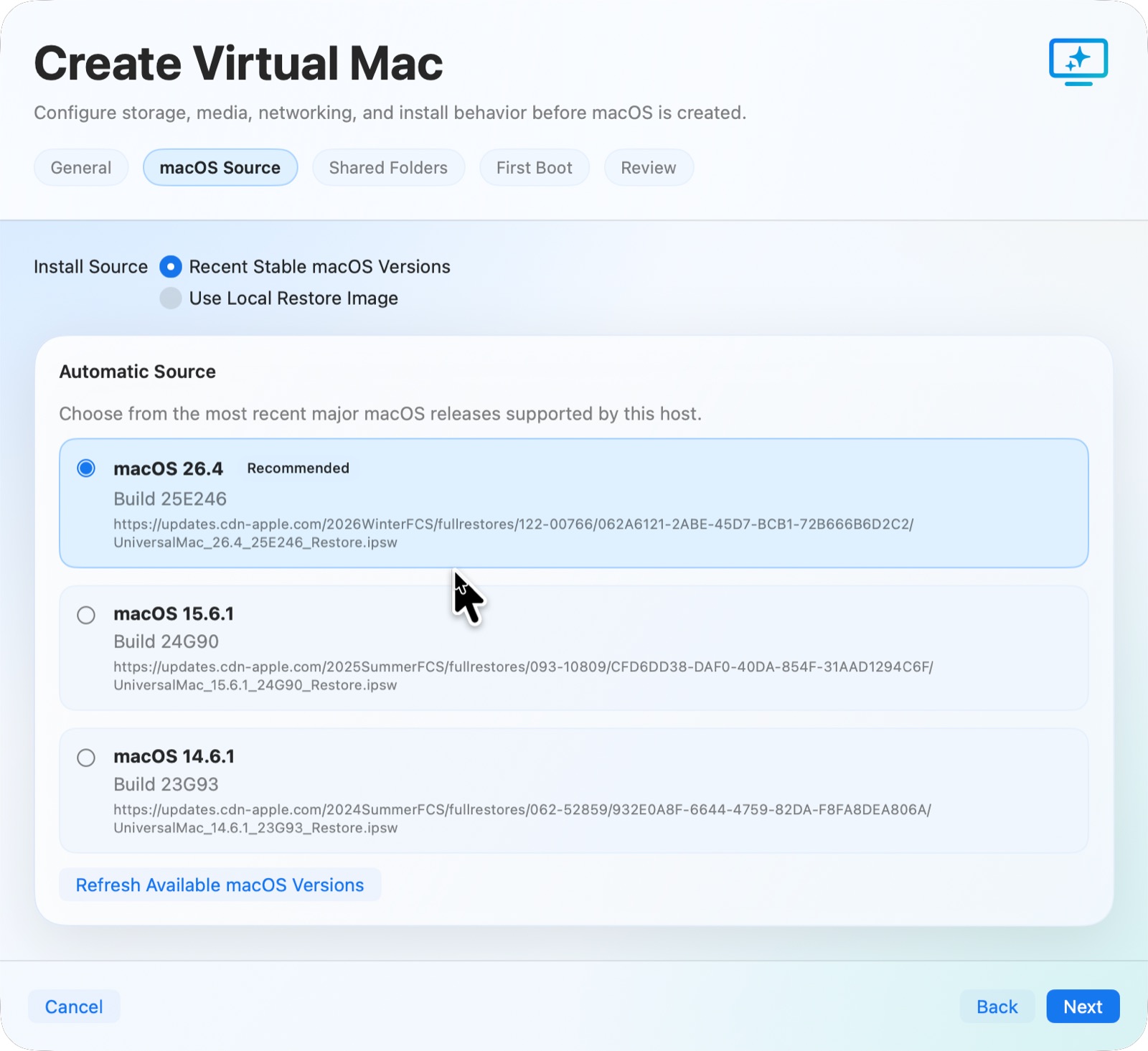
SAB VM Lab create wizard showing macOS source selection for a new VM.
macOS Source

Pick the restore image path cleanly instead of digging through IPSWs and hoping the setup flow behaves.

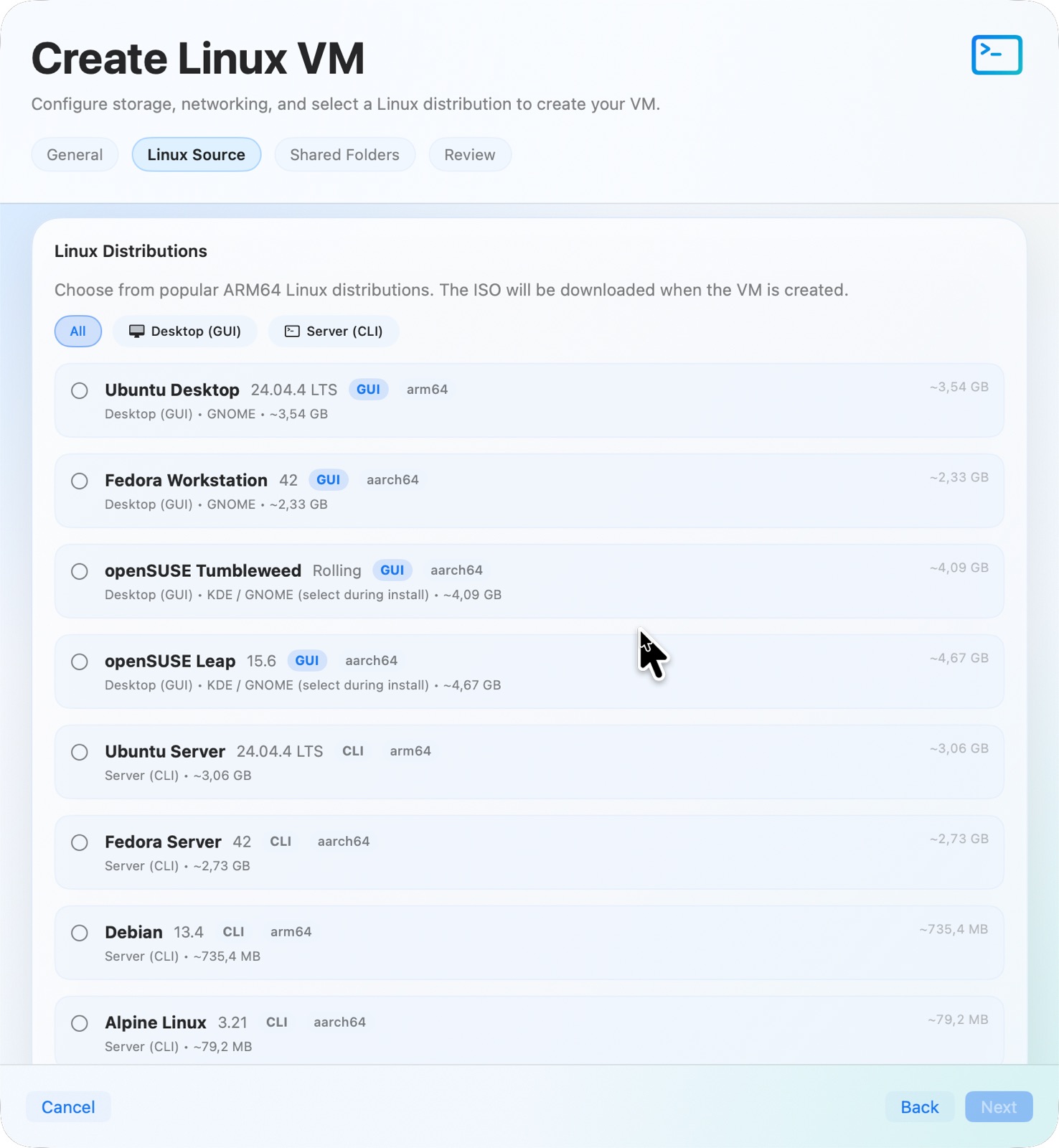
SAB VM Lab create wizard showing Linux source selection and Linux guest options.
Linux Support

The app now also supports Linux guests, making the platform more useful for mixed admin and development workflows.

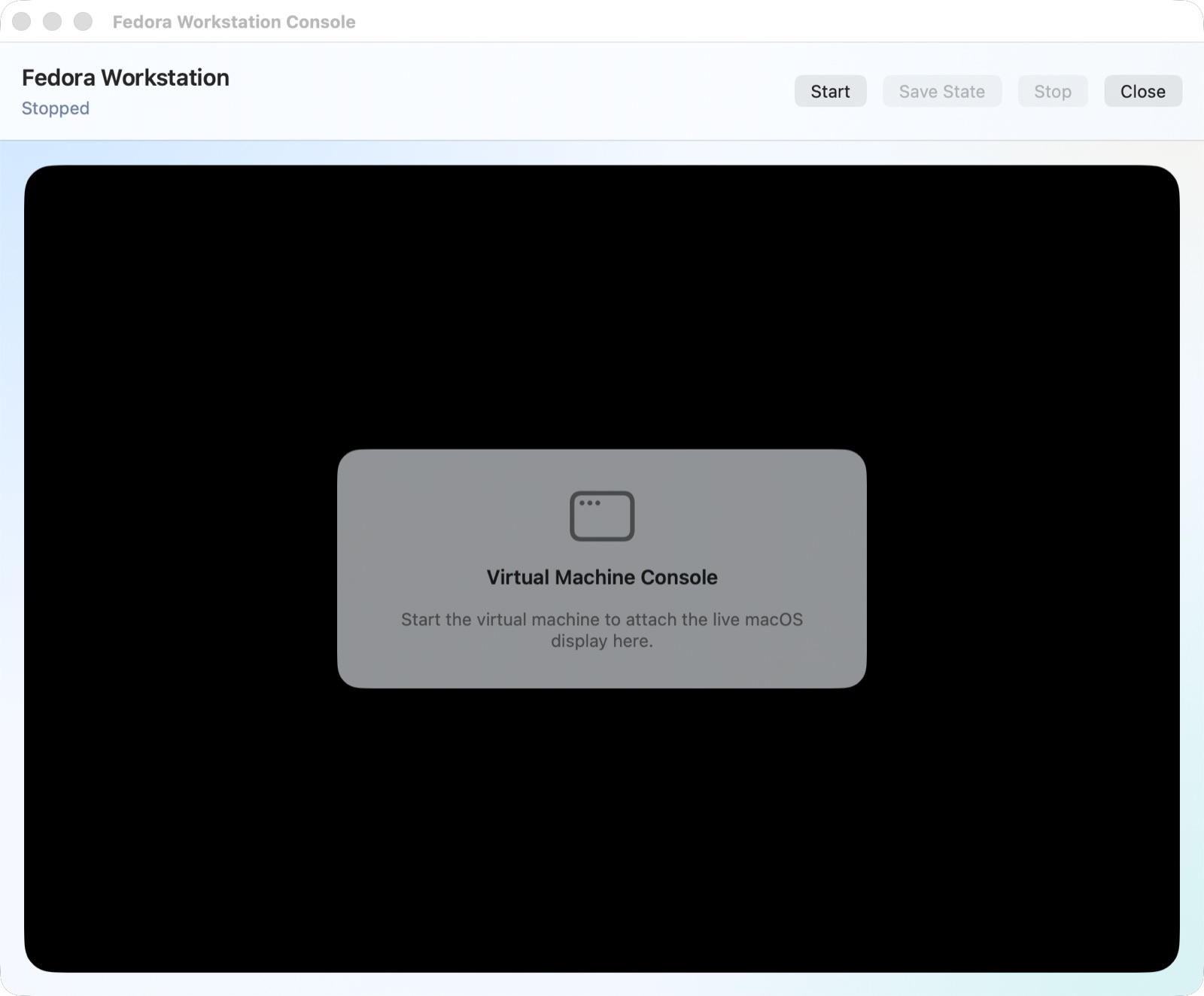
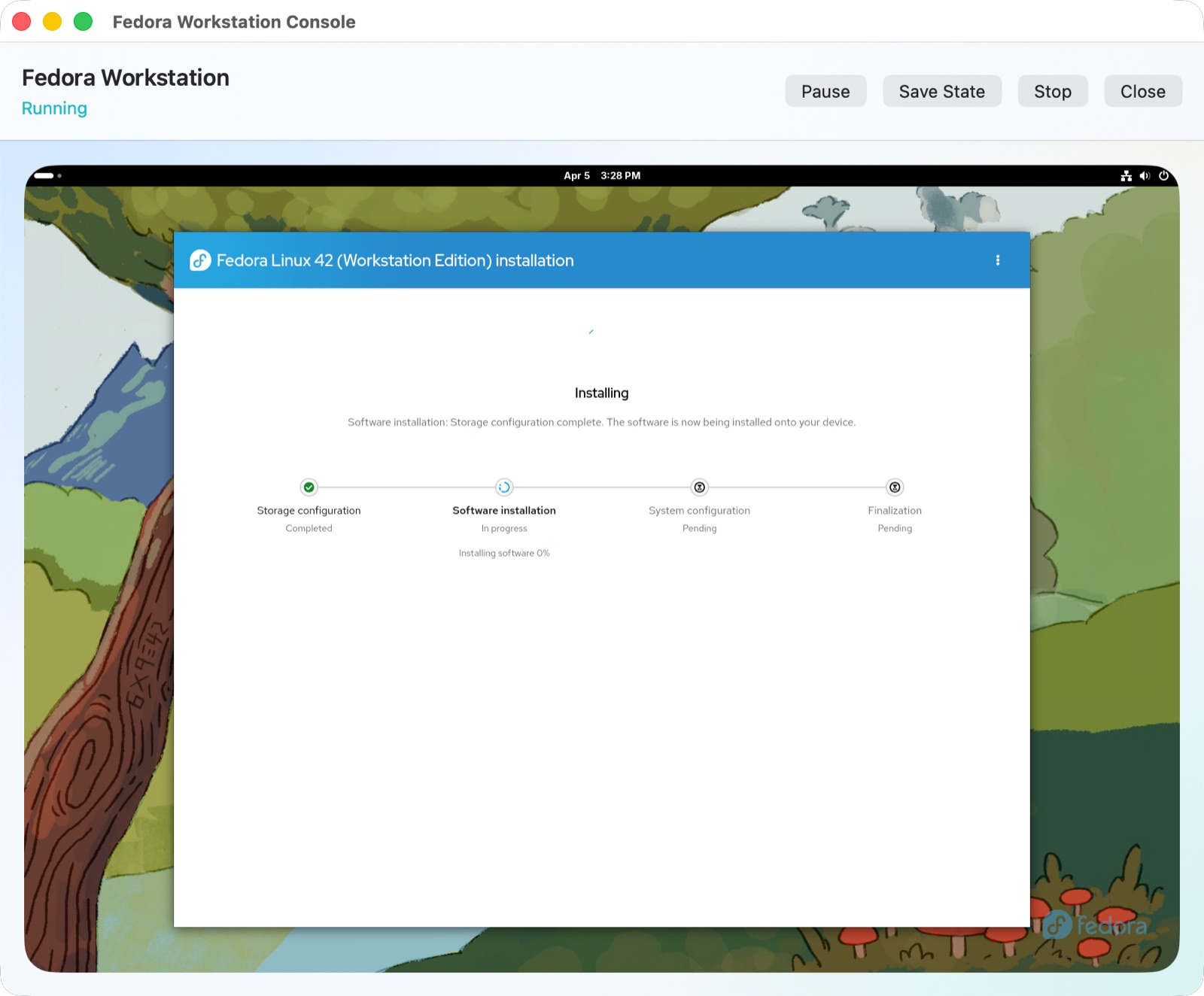
SAB VM Lab console window showing the guest install process.
Console

Open the VM in a proper console window and work through first boot and installation without fighting modal UI.

A running guest desktop inside SAB VM Lab.
Running Guest

Once the guest is live, the app stays focused on useful controls and clear status rather than ornamental chrome.

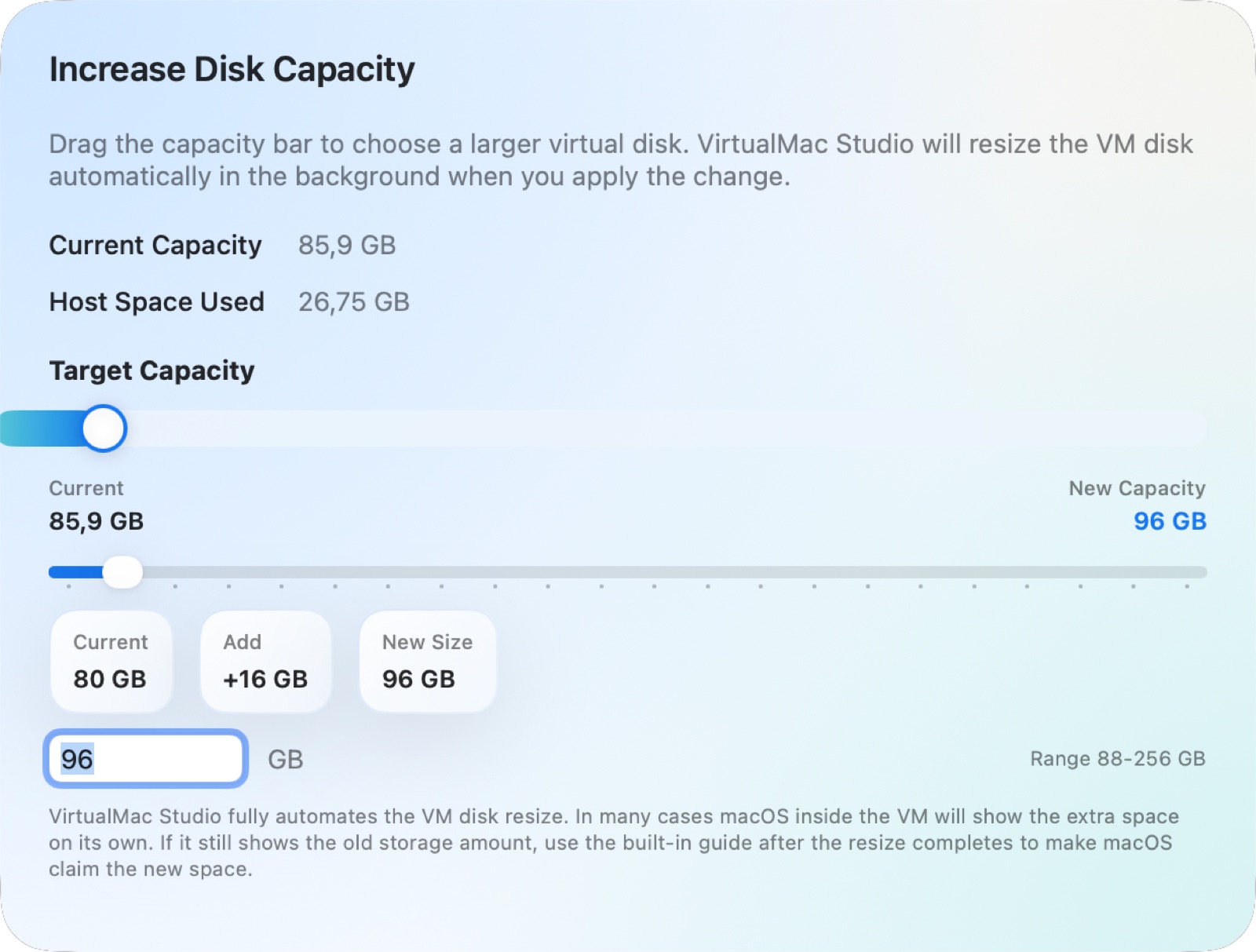
SAB VM Lab increase disk capacity interface for growing guest storage.
Storage Growth

Start with less host-space pressure, then increase guest disk capacity later when the machine actually needs it.

Highlights

Built to reduce the rough edges around macOS virtualization.

Native setup experience

Create a VM with guided restore image selection, storage choices, shared folders, media settings, and hardware configuration in a clean Mac-native workflow.

Storage that grows with you

There is no need to start with an oversized disk that immediately feels wasteful on the host. SAB VM Lab lets you begin smaller and expand guest disk capacity later when you actually need it.

Finder-friendly shared folders

Shared folders are designed to feel natural inside the guest, integrating cleanly with Finder so host files are easier to reach during real work.

Portable VM bundles

Each VM lives as a self-contained bundle, which makes backup, restore, cloning, and external SSD workflows much easier to reason about.

Documentation

Start quickly, then use the full guide for advanced and admin-heavy workflows.

Quick Start

A short step-by-step path for creating your first VM, installing macOS, opening the shared automation folder, and installing VirtualMac Tools inside the guest.

Open Quick Start

User Guide

The current main guide for both everyday use and more advanced admin tasks, including shared folders, guest tools, clipboard sync, disk growth, Linux guests, and troubleshooting.

Open User Guide

Download

Install the signed and notarized direct-download release.

This direct release of SAB VM Lab is signed with Developer ID and notarized by Apple. The installer package is intended for Apple silicon Macs and installs the app into your standard Applications folder.

If you prefer the cleanest first-run path, use the installer package below. It is the recommended public download for the current release.

  • Signed with Developer ID
  • Notarized by Apple
  • Stapled for offline Gatekeeper verification
  • Installer package for a simple Applications install
  • Built for Apple silicon Macs
  • Uses Apple’s public Virtualization framework
  • Bundle ID: dk.youritsolution.SABVMLab

Community

Feedback and discussion will live alongside the app.

Yes, this is possible, and the public feedback hub for SAB VM Lab is now live. The app has its own public GitHub home for releases, bug reports, and feature requests.

This app page can now send users directly to:

  • Discussions for feedback, questions, ideas, and general conversation
  • Issues for bugs and feature requests
  • Releases for the public app hub
  • Repository for release notes and project updates

That means users can now download the app, give feedback in Discussions, and use Issues specifically for bug reports and feature requests.

Why It Exists

A focused answer to real VM workflow frustrations.

SAB VM Lab started as a response to real friction: restore images that feel harder to manage than they should, VM files that are easy to lose track of, guest storage that should not need to be oversized on day one, and configuration workflows that can feel more technical than they need to be.

The goal is to make serious macOS virtualization feel more approachable without hiding the important controls advanced users care about, including flexible hardware settings, expandable storage, and useful host-to-guest file access.