SAB Enroll Hub

A Mac-native control center for Apple device enrollment across multiple organizations.

SAB Enroll Hub helps administrators manage device enrollment across multiple Apple Business Manager and Apple School Manager organizations from one focused Mac app. It brings device inventory, DMS server assignment, cross-portal search, bulk operations, export, and diagnostics into one native desktop workflow.

Screenshots

See the main admin workflows before you install it.

SAB Enroll Hub is built around the workflows Apple admins actually repeat: adding organizations safely, syncing device inventory, checking DMS assignment, searching across orgs, running bulk operations, and exporting clean data.

  • One Mac workspace for both ABM and ASM organizations
  • Cross-portal visibility when you do not know where a device lives
  • Bulk assignment and export tools that fit real admin routines
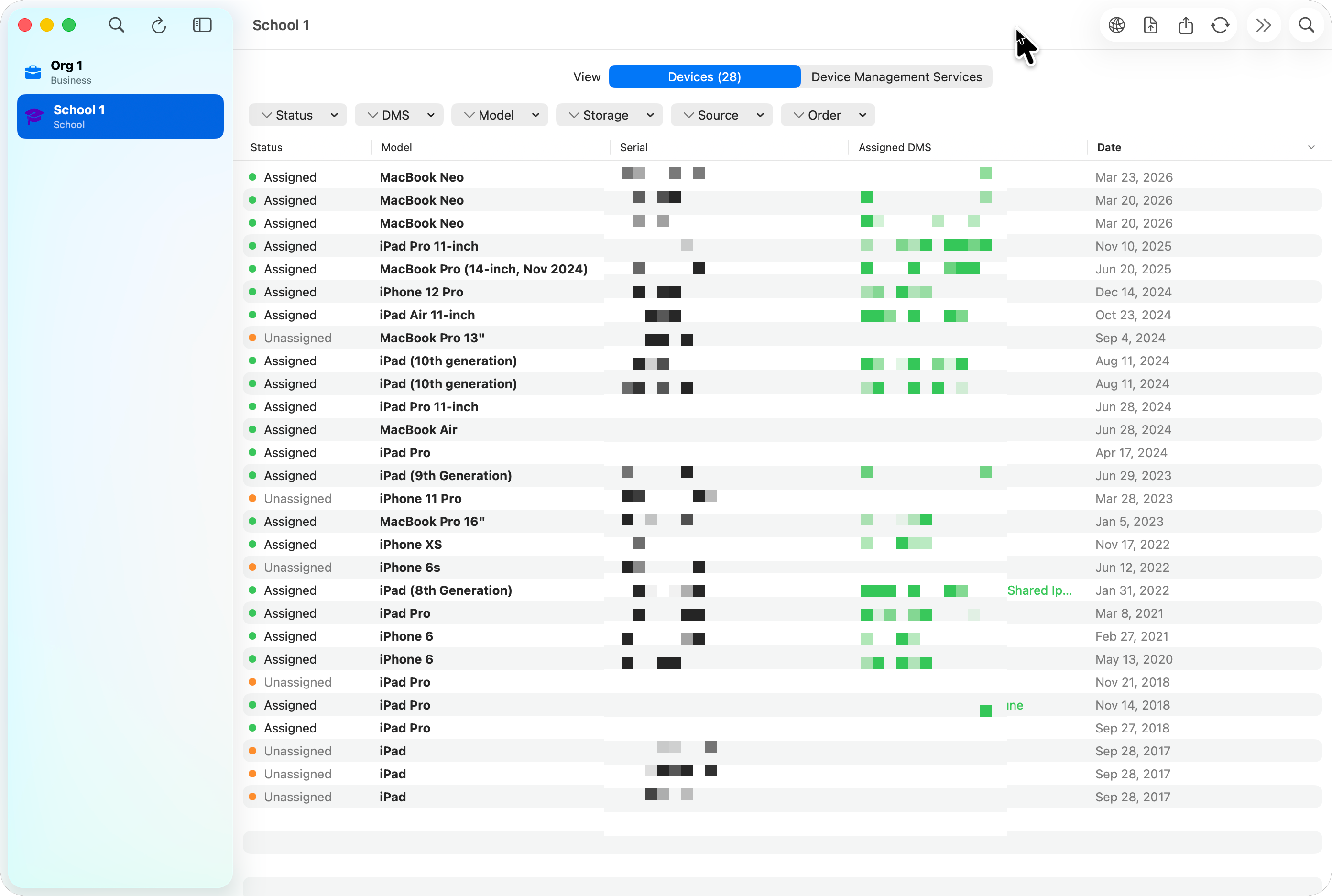
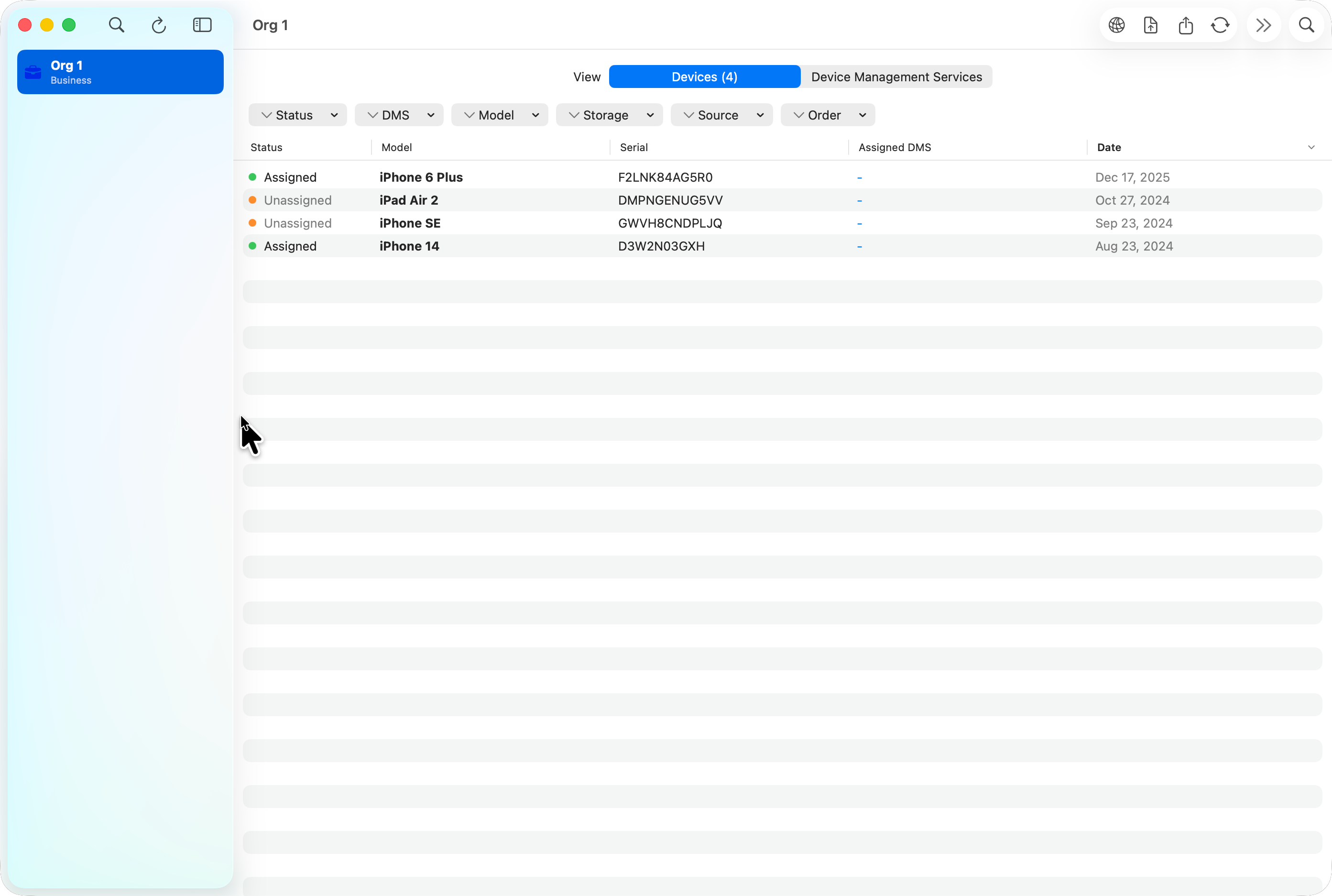
SAB Enroll Hub showing a school organization's device inventory with status, model, serial, assigned DMS server, and enrollment dates.
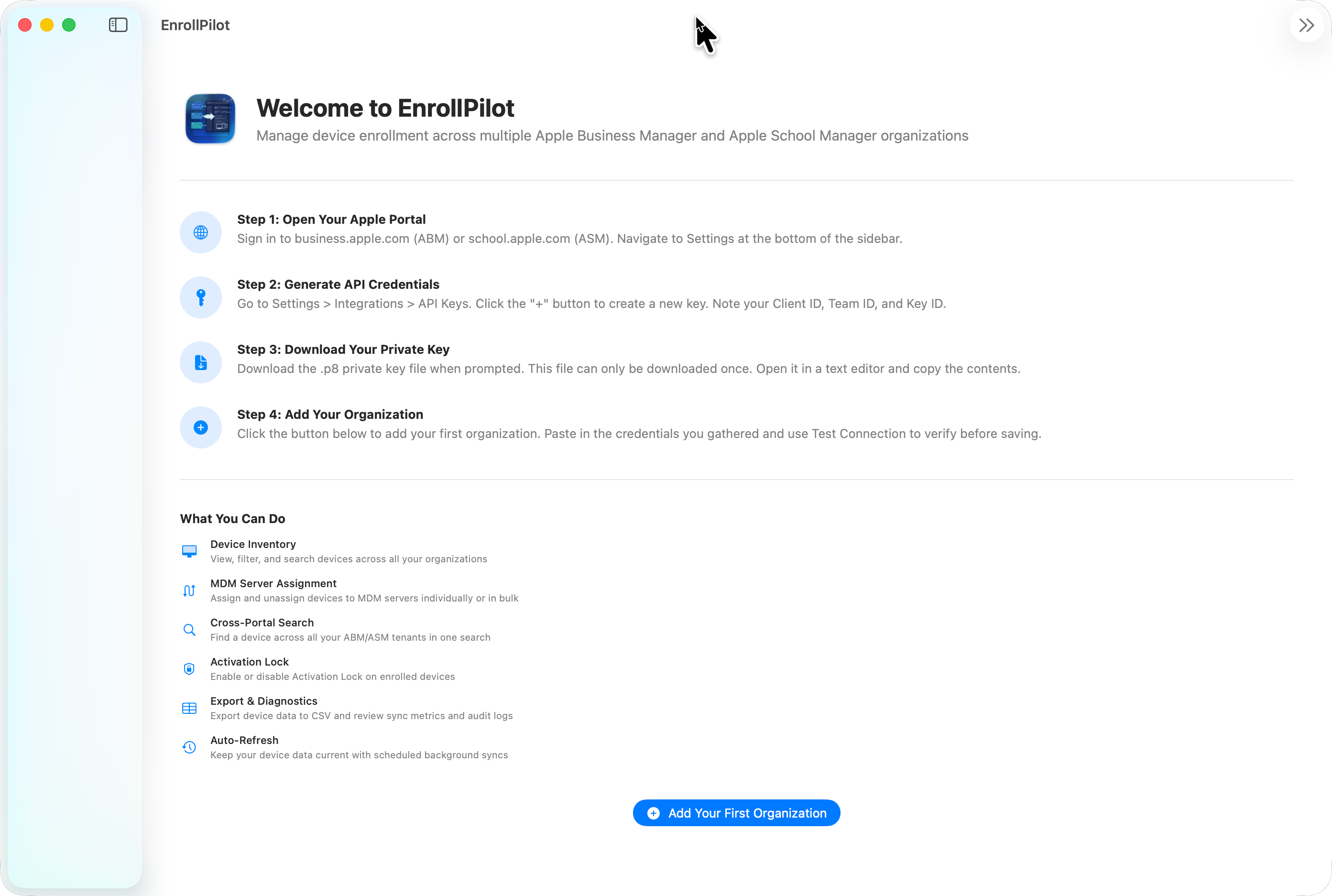
SAB Enroll Hub welcome screen showing first-run setup steps for Apple Business Manager and Apple School Manager credentials.
First Run

Walk administrators through the ABM or ASM setup path instead of assuming they already know where every API credential comes from.

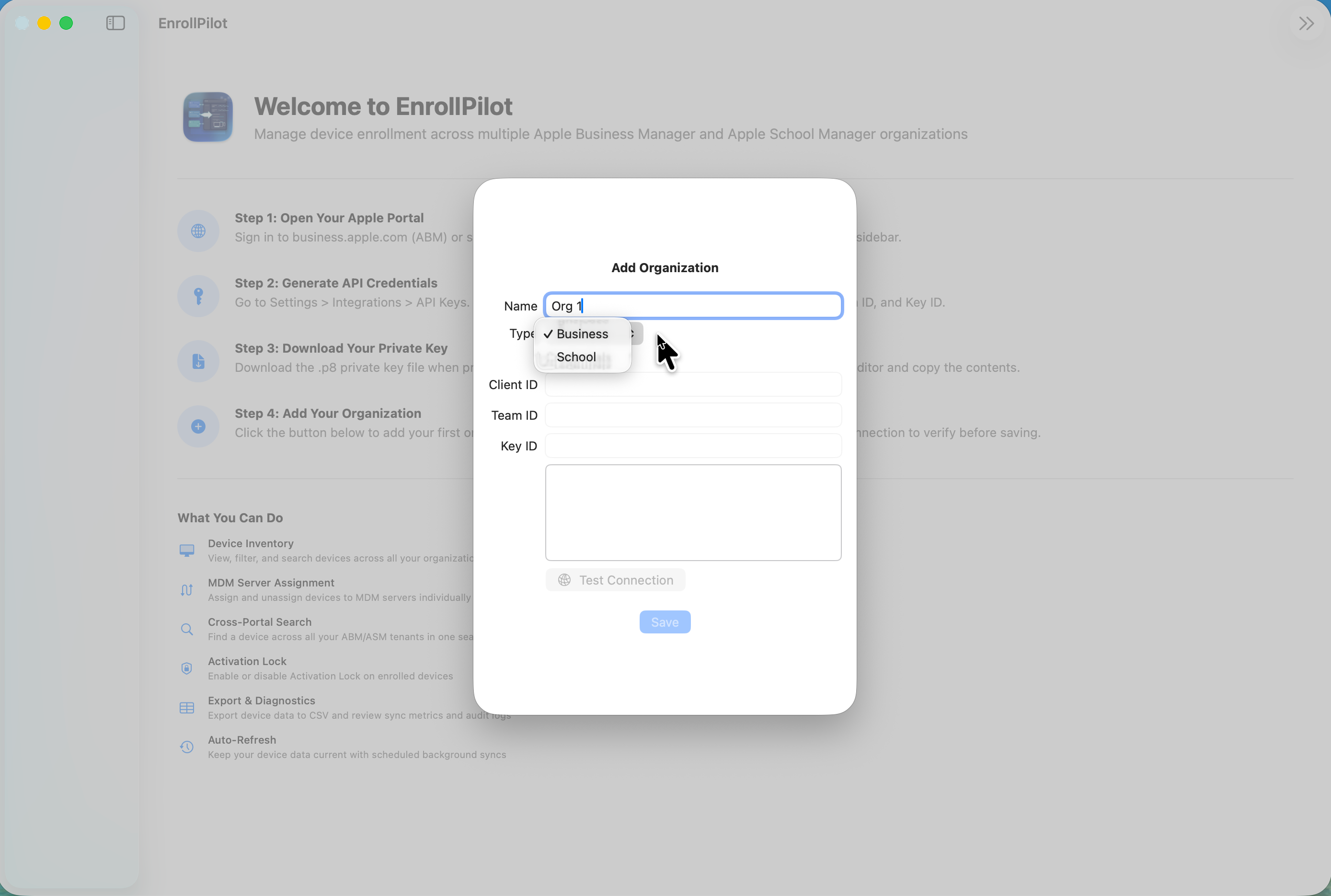
SAB Enroll Hub add organization sheet showing Business or School selection and connection testing before save.
Organization Setup

Add a business or school tenant, test the API credentials first, and only save the org when the connection checks out.

SAB Enroll Hub device inventory view with filters for status, DMS, model, storage, source, and order.
Devices

Filter and inspect device inventory by status, DMS server, model, storage, source, and order without juggling multiple browser tabs.

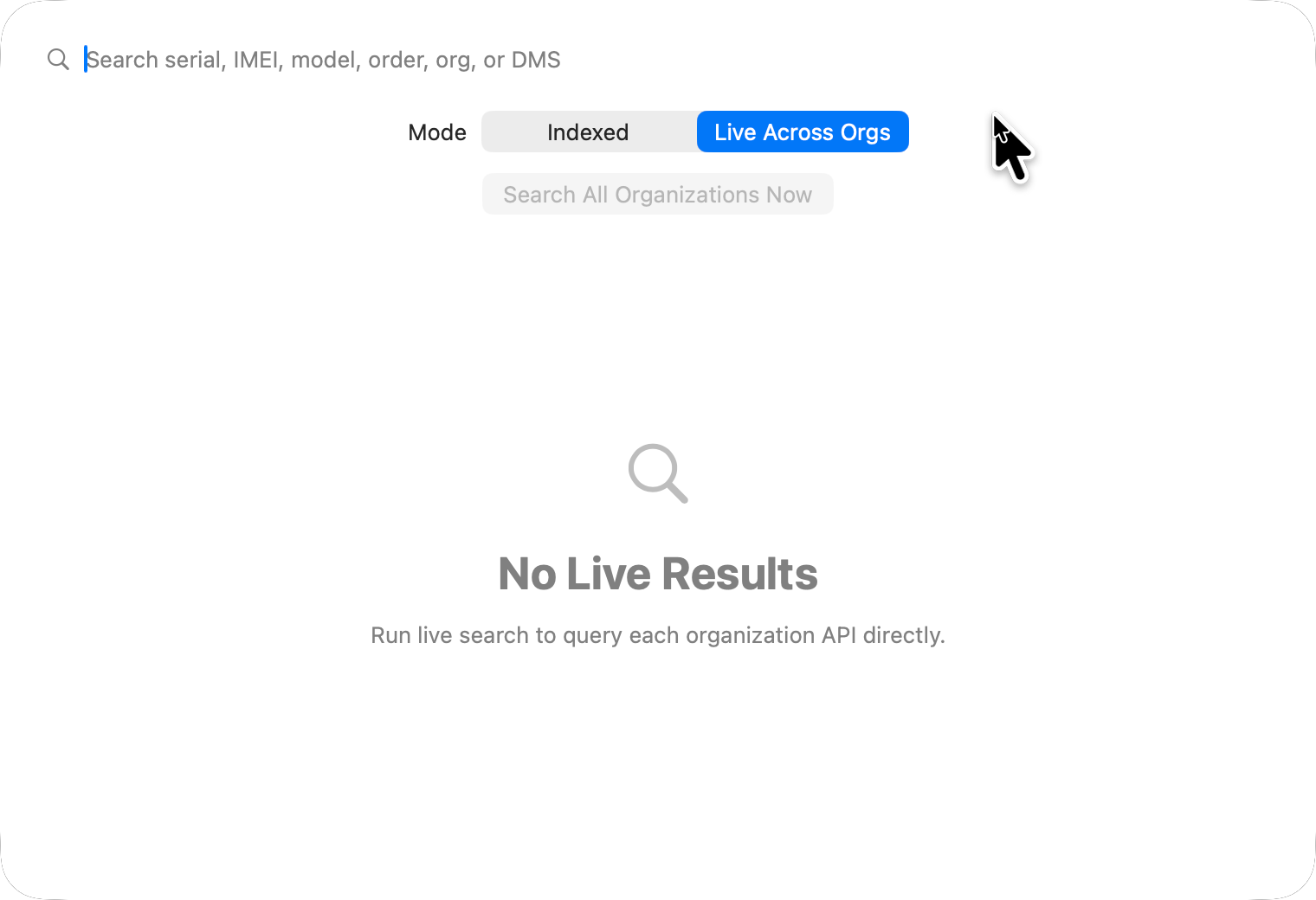
SAB Enroll Hub cross-portal search view with indexed and live-across-orgs search modes.
Cross-Portal Search

Search across all synced organizations when you only have a serial number, model, order number, or DMS clue and no idea which tenant holds it.

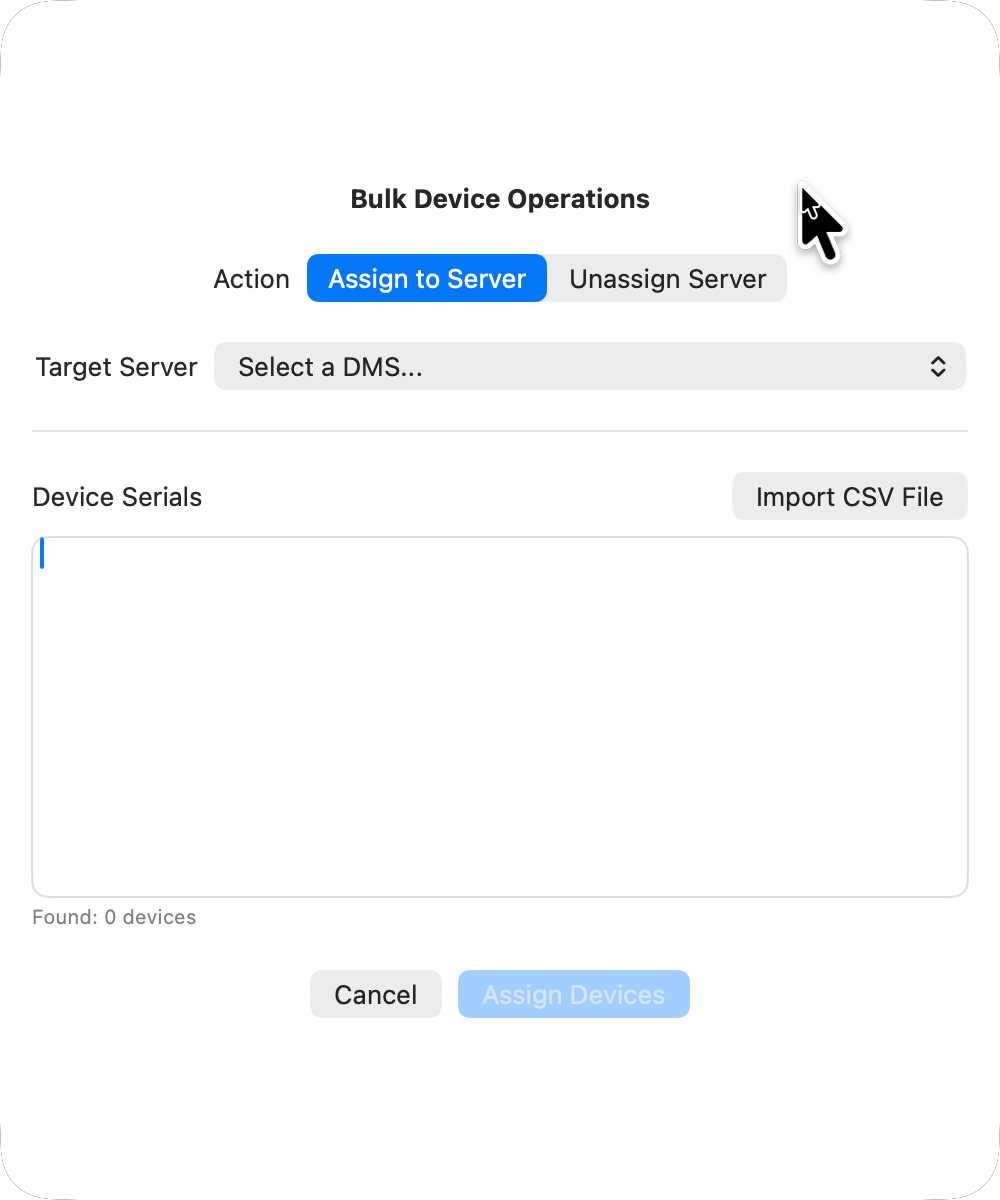
SAB Enroll Hub bulk device operations sheet showing assign or unassign server actions for pasted or imported serial numbers.
Bulk Operations

Assign or unassign devices in batches from pasted or imported serials so common enrollment actions are faster and less error-prone.

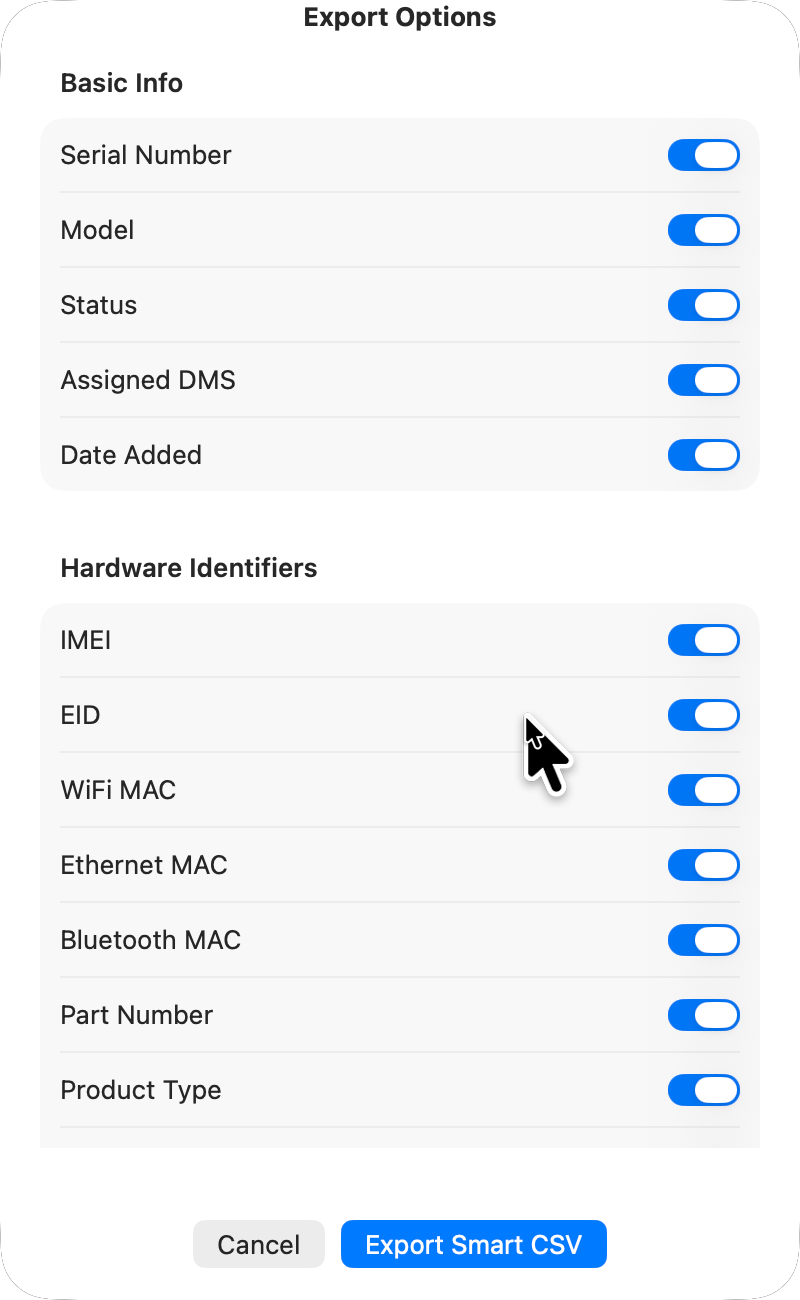
SAB Enroll Hub export options sheet showing selectable device fields for CSV output.
Export

Build a smarter CSV with exactly the fields you need for reporting, audits, migration reviews, or handover work.

Highlights

Built for Apple enrollment admins who need accuracy more than ornament.

Multi-org workspace

Manage multiple ABM and ASM organizations from one Mac-native interface instead of bouncing between portals and losing context.

DMS assignment workflows

Review devices, assign or unassign them from Device Management Service servers, and keep the workflow close to the data.

Fast and live search modes

Use indexed local search for speed or live cross-org search when you need the current state directly from Apple’s APIs.

Diagnostics and audit context

Keep sync metrics, logs, and audit data nearby so support and troubleshooting are based on evidence rather than guesses.

Documentation

Use the guide for setup, security, and day-to-day admin workflows.

User & Admin Guide

The full guide covers credentials, organization setup, device inventory, cross-portal search, DMS servers, bulk actions, export, diagnostics, security, and troubleshooting.

Open the Guide

Support Page

If you need help, the support page links to Discussions, Issues, the direct download, the guide, and the right contact path.

Open Support

Download

Install the signed and notarized direct-download release.

SAB Enroll Hub is available as a direct-download macOS release signed with Developer ID and notarized by Apple. The installer package is intended for macOS 26 or later and installs the app into your Applications folder.

  • Signed with Developer ID
  • Notarized by Apple
  • Installer package for a simple Applications install
  • Built for Intel and Apple Silicon Macs
  • Focused on Apple Business Manager and Apple School Manager device workflows

Community

Public feedback and support are structured around the app.

SAB Enroll Hub uses the same public support model as the rest of the site: Discussions for questions and ideas, Issues for bugs and feature requests, and Releases for the download hub.

  • Discussions for setup help, questions, ideas, and general feedback
  • Issues for bugs and feature requests
  • Releases for public downloads and release notes
  • Support page for direct help and documentation links